Does PromoCodesGCC Work on App Orders? What You Should Know
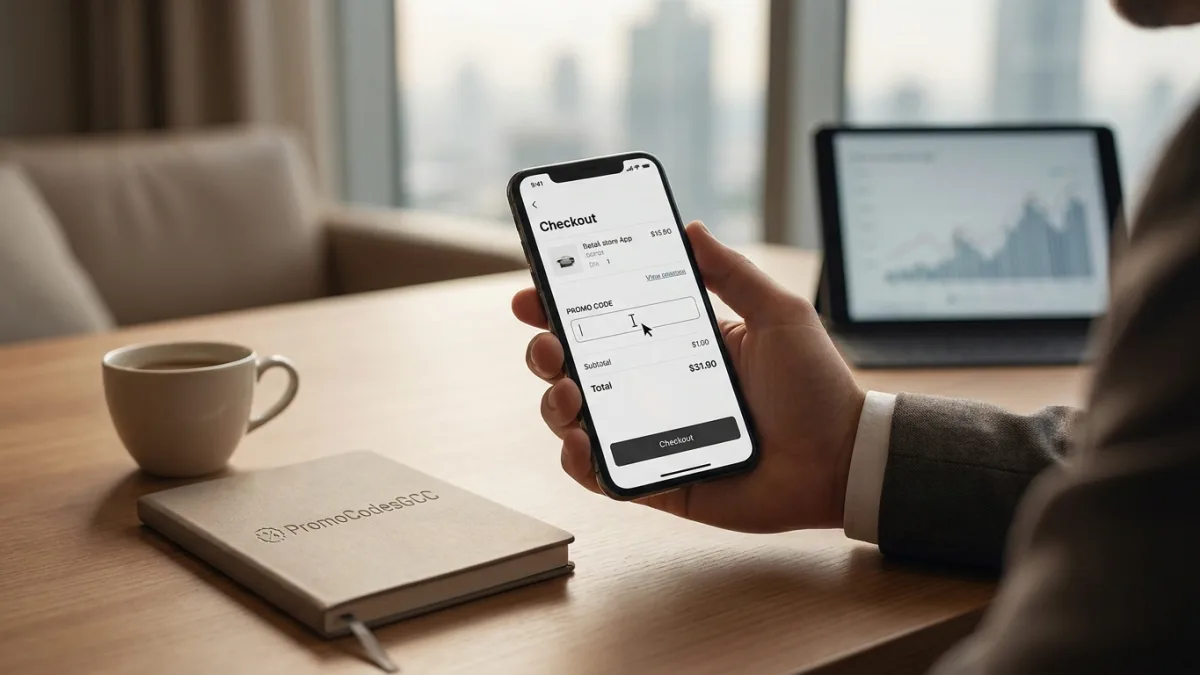
Yes, promo codes work on apps — but only when the right conditions are met.
Key Facts
Most GCC retailer apps support promo codes, but some codes are platform-specific. Always verify terms before checkout — 79% of UAE eCommerce happens on mobile.What You Gain
Knowing where to find the code field and how validation works lets you apply discounts confidently across fashion, electronics, and travel apps without wasted attempts.Watch Out
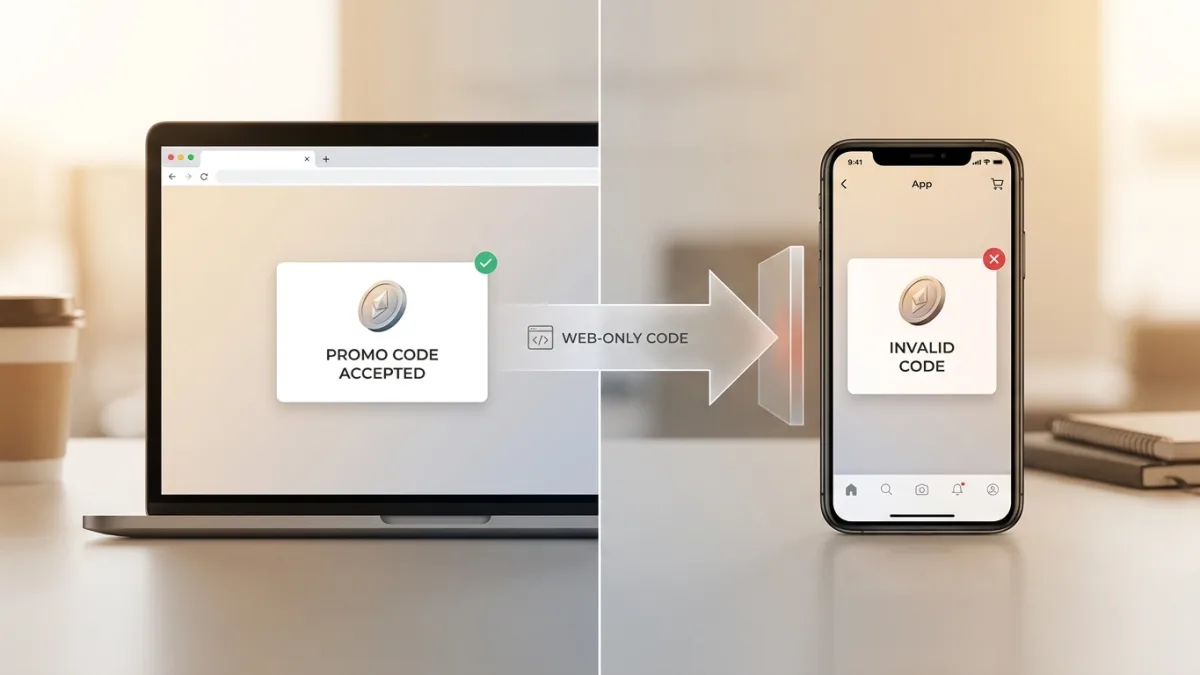
App-exclusive and website-exclusive codes are not interchangeable. A valid, unexpired code will still be rejected if it was issued for a different platform.
Applying a promo code on a mobile app sounds straightforward, yet platform restrictions, cart conditions, and outdated app versions catch shoppers off guard at checkout. I break down exactly how app-based discount validation works, where codes fail, and how to troubleshoot every scenario so you never lose a valid deal.
Does PromoCodesGCC Work on App Orders?
Yes, PromoCodesGCC.com codes work on app orders — but compatibility depends on the specific retailer, its app architecture, and how the promotional field is implemented within the checkout flow. Most major GCC-based retailers support promo code entry in their mobile apps, though the process and field placement may differ from the desktop experience.
This matters more than ever in the UAE. Smartphones drive 79% of all eCommerce transactions in the UAE, confirming the country’s mobile-first shopping behaviour — a figure recorded in 2024.
Understanding exactly when and why codes apply (or don’t) saves you time and ensures you never miss a valid discount.
- App-only or web-only
- Rejected on wrong platform
- Check terms carefully
- Retailer sets restriction
- Valid on all platforms
- Works on app and website
- No channel restriction
- Most flexible option
How Promo Codes Function Within Mobile Apps
Copy the Code
Copy code and confirm validity period
Log In
Sign into your account before checkout
Paste & Apply
Paste code in field, tap Apply
Confirm Discount
Verify discount shows before payment
The Technical Mechanics Behind App-Based Discounts
When you place an order through a retailer’s mobile app, the discount system typically operates through the same backend as the website. The promo code you enter is validated against the retailer’s database in real time.
The app sends the code to the server, which checks:
- Whether the code is active and within its validity period
- Whether it applies to the items in your cart
- Whether your account meets any eligibility conditions (new user, minimum spend, etc.)
If all conditions are met, the discount is applied instantly before payment.
Research shows that 82% of consumers redeem digital coupons within a week of receiving them, with 30% using them the same day — making it critical to apply your code promptly once you have it.
Where to Find the Promo Code Field in an App
The promo code field is not always visible at first glance in mobile apps. Retailers place it in different locations depending on their UI design:
- Cart screen — often labeled “Add promo code” or “Enter voucher”
- Checkout summary page — appears as a collapsible section before payment
- Payment method screen — sometimes integrated alongside wallet or card options
App-Exclusive vs. Website-Exclusive Codes
Some promo codes are platform-specific by design. Retailers may issue:
- App-only codes — valid exclusively for orders placed through the mobile app
- Website-only codes — restricted to desktop or mobile browser checkout
- Universal codes — valid across all platforms
Always check the terms attached to each code. Our platform’s listings typically indicate any platform restrictions directly in the offer description.
Common Reasons a Promo Code Doesn’t Work on an App Order
The Code Has Platform Restrictions
This is the most frequent cause of failure. A code issued for web checkout will be rejected by the app’s validation system, even if the code itself is valid and unexpired.
Before entering a code, verify:
- The offer description mentions “app” or “all platforms”
- The retailer’s terms do not explicitly exclude mobile app orders
- The code source (the listing page) does not note any channel restrictions
Cart Conditions Are Not Met
Many promo codes carry conditions that must be satisfied before the discount activates:
| Condition Type | Example |
|---|---|
| Minimum order value | Code applies only on orders above AED 200 |
| Specific product categories | Valid on electronics only, not fashion |
| First-order restriction | New customers only |
| User account type | Registered users, not guest checkout |
| Payment method | Specific card or wallet required |
If any single condition is unmet, the app will display an error — even if the code is technically valid.
Note on UAE bank offers: Many major UAE retailers allow you to use a standard promo code alongside a specific bank discount — such as those for ADCB or FAB cardholders. Always check for these “stackable” deals before paying.
The Code Is Expired or Already Used
Promo codes have defined validity windows. An expired code will be rejected regardless of the platform. Similarly, single-use codes become invalid after their first redemption.
Important: Always check the expiry date on the offer listing before attempting to apply a code during checkout.
App Version Is Outdated
An older version of the retailer’s app may not support newer promotional features or updated discount systems. If your app hasn’t been updated recently, the promo code field may behave unexpectedly or fail to process valid codes.
Fix: Update the app to the latest version via the App Store or Google Play before placing your order.
Step-by-Step: How to Apply a Promo Code on a Mobile App Order
Before You Start
- Copy the promo code from the offer listing — do not retype it manually to avoid errors
- Confirm the code’s validity period and any stated platform restrictions
- Ensure your cart meets the minimum order value if one applies
- Log into your account (guest checkout may not support all promo codes)
During Checkout
- Add your items to the cart and proceed to checkout
- Look for the promo code or voucher field (cart page or order summary)
- Paste the code directly into the field — avoid extra spaces before or after the code
- Tap “Apply” or “Validate”
- Confirm the discount appears in your order total before proceeding to payment
If the Code Is Rejected
- Double-check for typos or extra spaces in the code
- Confirm the code is intended for app orders
- Try switching to the mobile browser version of the site to test if the code works there
- Clear the app cache and retry
- Contact the retailer’s customer support with the code and error message
Is It Safe to Use Promo Codes on Mobile Apps?
Why Your Code May Fail
5 points- 1 Code is platform-restricted (app or web only)
- 2 Minimum cart value not reached
- 3 Code is expired or already used
- 4 App version is outdated
- 5 Product category is excluded from the offer
Security Considerations for App-Based Discount Redemption
Using promo codes through official retailer apps is entirely safe, provided you are using the legitimate, verified app downloaded from the official App Store or Google Play.
The risk does not come from the promo code itself but from where the code was sourced. Codes obtained from verified aggregator platforms are tested and listed directly from retailer promotions, reducing the risk of encountering fraudulent or phishing-linked offers.

UAE shoppers also benefit from strong legal protections. Sales promotions in the UAE — including discounts, prizes, and competitions — are legally regulated. Providers must obtain prior approval, state all terms clearly, and honor the promotion throughout its advertised period. This is governed by Federal Decree Law No. 5 of 2023 on Consumer Protection, which covers all goods and services sold through eCommerce platforms registered in the UAE.
Key safety practices:
- Only download apps from official app stores
- Never enter payment details on a page that looks different from the standard checkout
- Avoid codes shared via unsolicited messages or unknown social media accounts
- Use codes only on the official retailer app, not third-party reseller apps
Data and Privacy When Using Promo Codes
Entering a promo code does not expose any additional personal data beyond what the checkout process already collects. The code is simply a string of characters validated server-side.
The UAE Consumer Protection Law protects the data of consumers and prohibits suppliers from using it for marketing. No reputable retailer requires you to provide extra personal information specifically to redeem a promo code.
For digital fraud or platform violations, UAE consumers can report issues to the Telecommunications and Digital Government Regulatory Authority (TDRA), which oversees e-commerce digital compliance in the UAE.
Promo Code Compatibility Across Popular GCC App Categories
The most popular categories for coupon usage in the UAE include fashion, electronics, and food delivery services. Here is how promo code compatibility typically works across each.
Fashion and Lifestyle Apps
Fashion retailers operating in the UAE — including international brands with dedicated regional apps — generally support promo codes at checkout. The field is typically located on the cart or order review screen.
Among UAE consumers, the two most popular categories for online purchases are clothing and shoes, chosen by 58% and 51% of respondents respectively, according to Statista’s 2024 survey.
Common compatibility notes for fashion apps:
- Sale items are frequently excluded from promo code discounts
- Bundle offers may not stack with additional promo codes
- New-user codes often require account registration before the code is accepted
Electronics and Technology Retailers
Electronics platforms tend to have more restrictive promo code policies. Discounts may be:
- Category-specific (accessories only, not flagship devices)
- Capped at a maximum discount amount regardless of cart value
- Restricted to specific payment methods (card-linked offers)
Travel and Hospitality Apps
Travel booking apps in the GCC often support promo codes but apply them differently:
- Hotel booking codes may apply per night or per booking
- Flight codes are less common and typically require specific fare classes
- Some travel apps require the code to be entered during the search phase, not at final checkout
Airlines and hotels used email and in-app discount codes and saw an 18% global lift in 2024 redemptions, according to CouponScience’s Global Trends Report — making travel one of the fastest-growing categories for app-based promo codes.
| App Category | Typical Code Placement | Common Restrictions |
|---|---|---|
| Fashion | Cart or order summary | Sale exclusions, new user only |
| Electronics | Payment screen | Category-specific, payment method |
| Travel | Search or final checkout | Fare class, booking window |
| Food delivery | Cart screen | Minimum order, delivery zone |
| Beauty & health | Order summary | Brand exclusions, subscription items |
What to Do When a Valid Code Still Doesn’t Apply on the App
Escalation Steps That Actually Work
If you have confirmed the code is valid, unexpired, and platform-compatible but it still fails on the app:
- Switch to mobile browser — open the retailer’s website in Safari or Chrome on your phone and attempt checkout there. Many codes that fail on apps work correctly on the mobile web version.
- Clear app cache — go to your phone’s settings, find the app, and clear cached data. Corrupted cache can interfere with checkout functionality.
- Try a different device — occasionally, device-specific issues affect app behavior.
- Contact retailer support directly — provide the exact code, the error message displayed, your cart contents, and your account details. Most UAE-based retailers offer live chat support within their apps.
- Check back later — some promotional codes are temporarily disabled during high-traffic periods (sale events, public holidays) and re-enabled once server load stabilizes.
Note: If a code consistently fails across multiple platforms and the retailer cannot resolve it, the code may have reached its redemption limit — a condition not always displayed publicly on the offer listing.
💡 Expert tip: If the promo code is invalid, a well-designed app should state why — for example: expired, already used, or not eligible for your cart. If the app gives no explanation, that itself is a signal to contact the retailer’s support team directly rather than continuing to retry.
Frequently Asked Questions
Is it safe to use promo codes?
Yes, promo codes are safe when sourced from trusted and verified platforms. The key factor is where the code comes from: legitimate codes come from official brand channels or established coupon platforms, while fraudulent ones may redirect you to phishing pages or harvest your personal data.
Always verify the code on the retailer’s official website before use, and remember that a genuine promo code should never require sensitive personal information to be unlocked. When in doubt, contact the retailer’s customer support directly.
In the UAE, the consumer protection legislation adopts a broad definition of consumer transactions that expressly captures digital and online activity — businesses offering goods or services through websites, mobile applications, social media platforms or digital marketplaces fall squarely within the scope.
How does a promo code work?
A promo code is an alphanumeric string that unlocks a discount at checkout. When you enter it in the designated field during your order, the system automatically verifies your cart against the code’s eligibility rules — such as minimum spend, specific product categories, or customer status — and applies the discount if all conditions are met.
Codes can offer a percentage off, a fixed amount, free shipping, or other perks. Digital coupons now account for one-third of all redemptions, with the average coupon redemption rate exceeding 7%. Each code typically has a limited validity window and may be restricted to a single use per customer.
How to use a promo code on app orders?
Applying a promo code on a mobile app follows a simple process at checkout. During your order, look for a field labelled “Promo code,” “Discount code,” or “Add coupon” — usually displayed below your cart total on the payment screen. Tap it, type or paste the code exactly as provided, then confirm to see the discount applied instantly.
Key tips to keep in mind:
Make sure you are logged into the correct account (some codes are account-specific)
Check that your cart meets any minimum order requirements
Ensure the code has not already been used or expired
Copy and paste the code to avoid typos or extra spaces
Why is my discount code not working?
A promo code can fail for several predictable reasons that are easy to troubleshoot. The most common cause is that the code has expired. Research shows that 82% of consumers redeem digital coupons within a week of receiving them — meaning codes are designed to be short-lived by nature.
Other frequent issues include not meeting the minimum cart value, attempting to use the code on excluded products or categories, or entering the code with a typo or extra space. If the code is entered correctly and still fails, check whether another automatic discount is already active, as most platforms will not stack two promotions simultaneously.
Does PromoCodesGCC.com codes work on both website and app orders?
Most codes listed on our platform are compatible with both website and app orders, but this depends on the individual retailer’s terms. Some brands issue app-exclusive promo codes to encourage mobile shopping, while others restrict certain codes to desktop checkout only.
Always read the terms attached to each code before placing your order. If a code works on the website but not on the app (or vice versa), it is likely due to a platform-specific restriction set by the retailer — not an issue with the code itself.
Can I stack multiple promo codes on a single order?
In most cases, only one promo code can be applied per order. Retailers typically restrict discount stacking to protect their margins, meaning a manual promo code will often be overridden if an automatic site-wide promotion is already active.
Some platforms do allow combining a discount code with a free shipping code, but this must be explicitly stated in the promotion’s terms and conditions. If stacking is not working, try removing any other applied discounts first, then re-enter your code.
What should I do if a discount code from PromoCodesGCC.com does not apply?
Start by double-checking the code’s terms before assuming it is invalid. Verify that your order meets all eligibility requirements: minimum spend, qualifying products, and account type. Try copying and pasting the code directly to eliminate entry errors.
If the issue persists, check whether the code is region-specific — some promotions are only valid in certain countries or on localised versions of an app. As a final step, contact the retailer’s customer support with your order details; they can confirm whether the code is still active and help apply it manually if needed.
UAE consumers who encounter misleading promotions or unresolved disputes can also contact the UAE Ministry of Economy’s Consumer Protection Department on 800 1222.

Author: Linita Gogtey
Linita Gogtey is a Marketing & Partnerships Manager at PromoCodesGCC.com. Linita is one of the founding members of the company and has managed to bring amazing partnerships for us - brands, networks, affiliates, and more. Her strong and compelling content writing skills is one of the biggest assets for PromoCodesGCC.